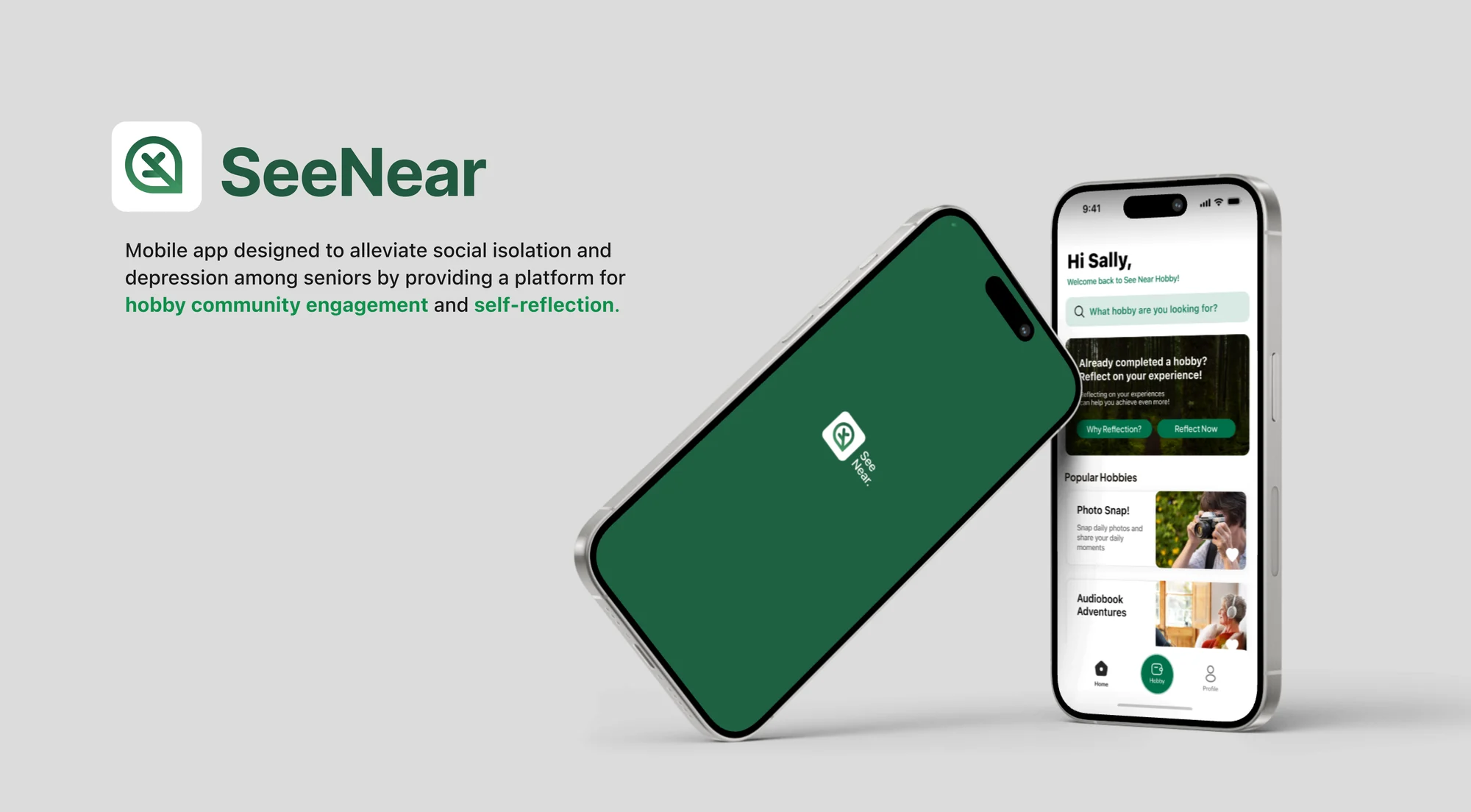
SeeNear
An accessible mobile app that helps seniors combat social isolation through hobbies, community and self-reflection.
Overview
Designing against social isolation
SeeNear is a mobile app that helps seniors combat social isolation and improve mental well-being through accessible hobbies, community connection and self-reflection.
From the first branding sketches to end-to-end product design, the focus was on intuitive, accessible experiences that support meaningful engagement and long-term well-being.
- Led branding, defining the logo and overall visual direction.
- Created a cohesive visual system, including infographics and supporting assets.
- Designed the end-to-end product experience, from user flows to final UI.
Background
Mental health challenges among seniors
A growing senior population and rising mental health risks.
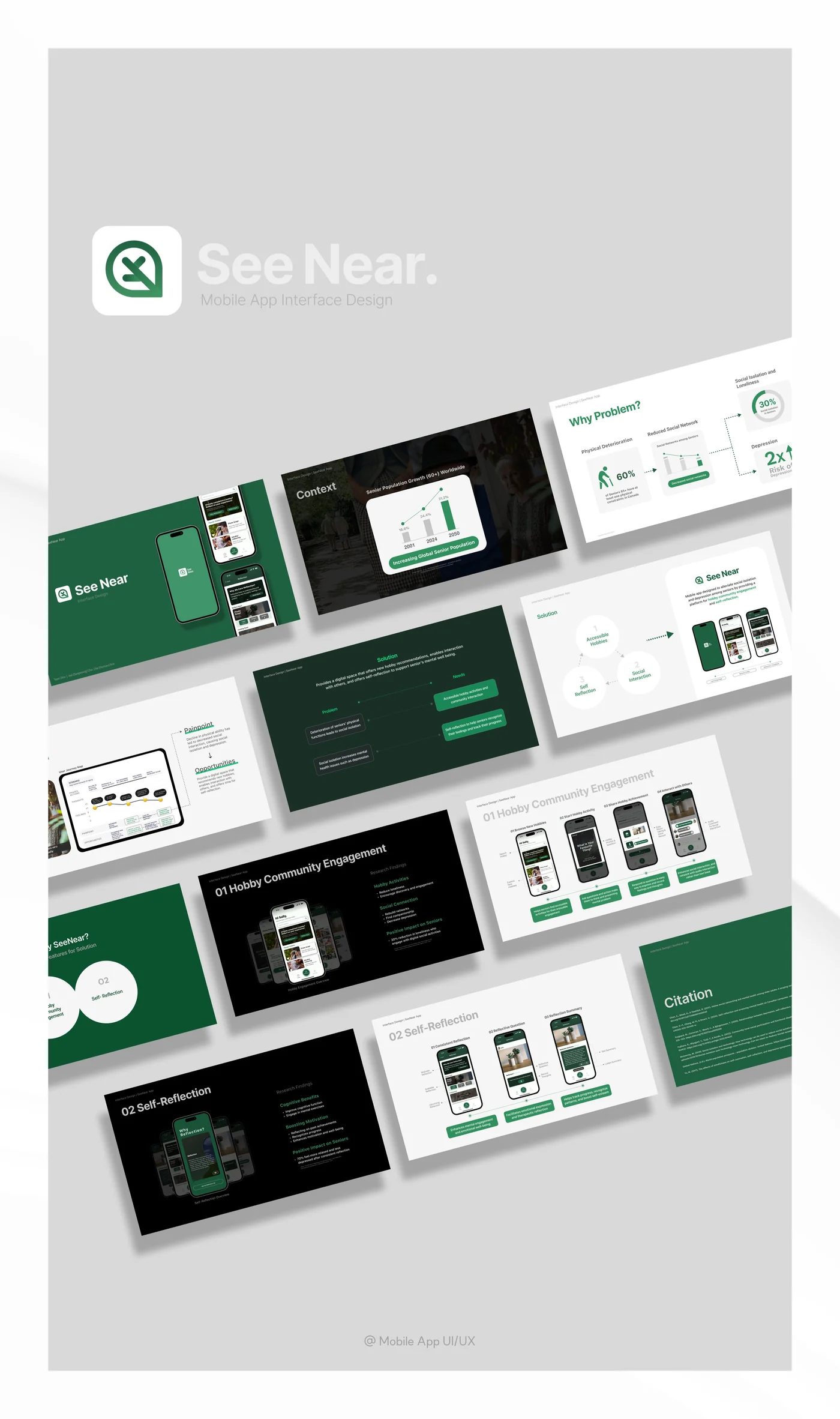
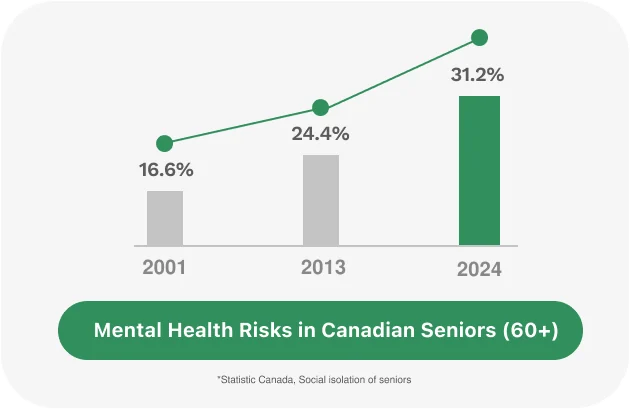
Canada's senior population is growing, and so are the mental health risks they face. The share of seniors at risk nearly doubled between 2001 and 2024.
Process
Understanding the root cause
How physical decline leads to social isolation and mental health risks.
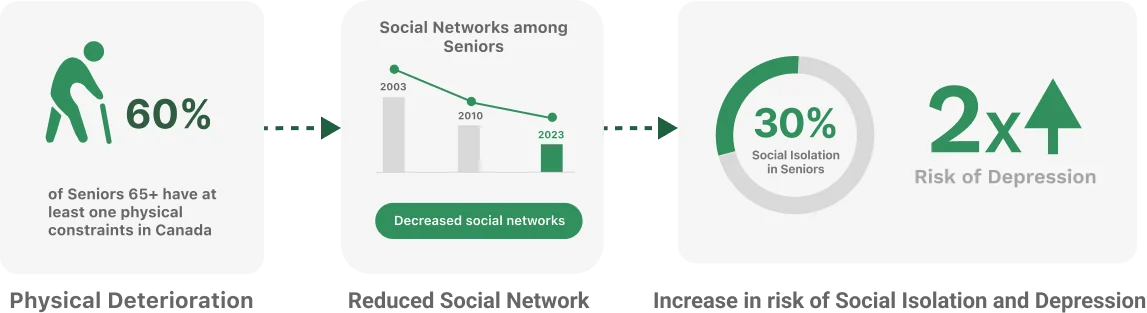
Our research showed how physical deterioration shrinks seniors' social networks, leading to isolation and a higher risk of depression.
To communicate this clearly, I created a visual problem framework mapping how physical limitations affect social engagement and mental well-being. It guided our problem definition and design direction.
Process
Competitor analysis
Limited accessibility and social support for seniors.
I analyzed senior-focused hobby and wellness apps and found two major gaps:
Little social or emotional support
Most apps don't adequately address seniors' emotional and social needs.
Physical accessibility challenges
Many platforms ignore physical limitations, limiting engagement and usefulness.
These gaps revealed the need for an experience that is accessible and socially supportive, designed specifically for seniors.
Define
Understanding the user
Defining pain points and finding opportunities.
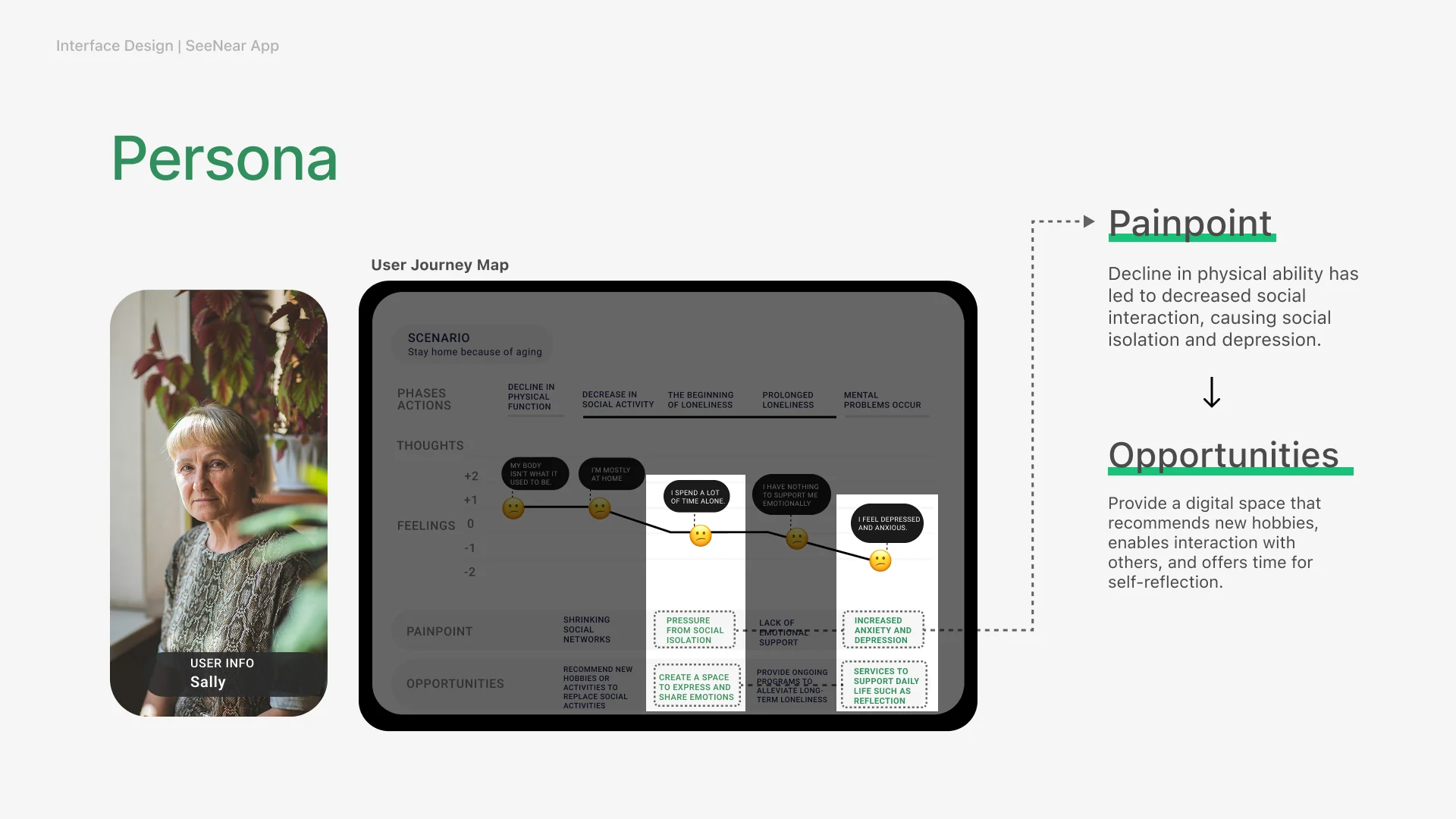
We developed a persona and journey map to understand how physical decline affects daily life. This revealed key pain points — reduced social interaction and growing loneliness — and helped us map them to opportunities for connection and support.
Define
Defining the product goal
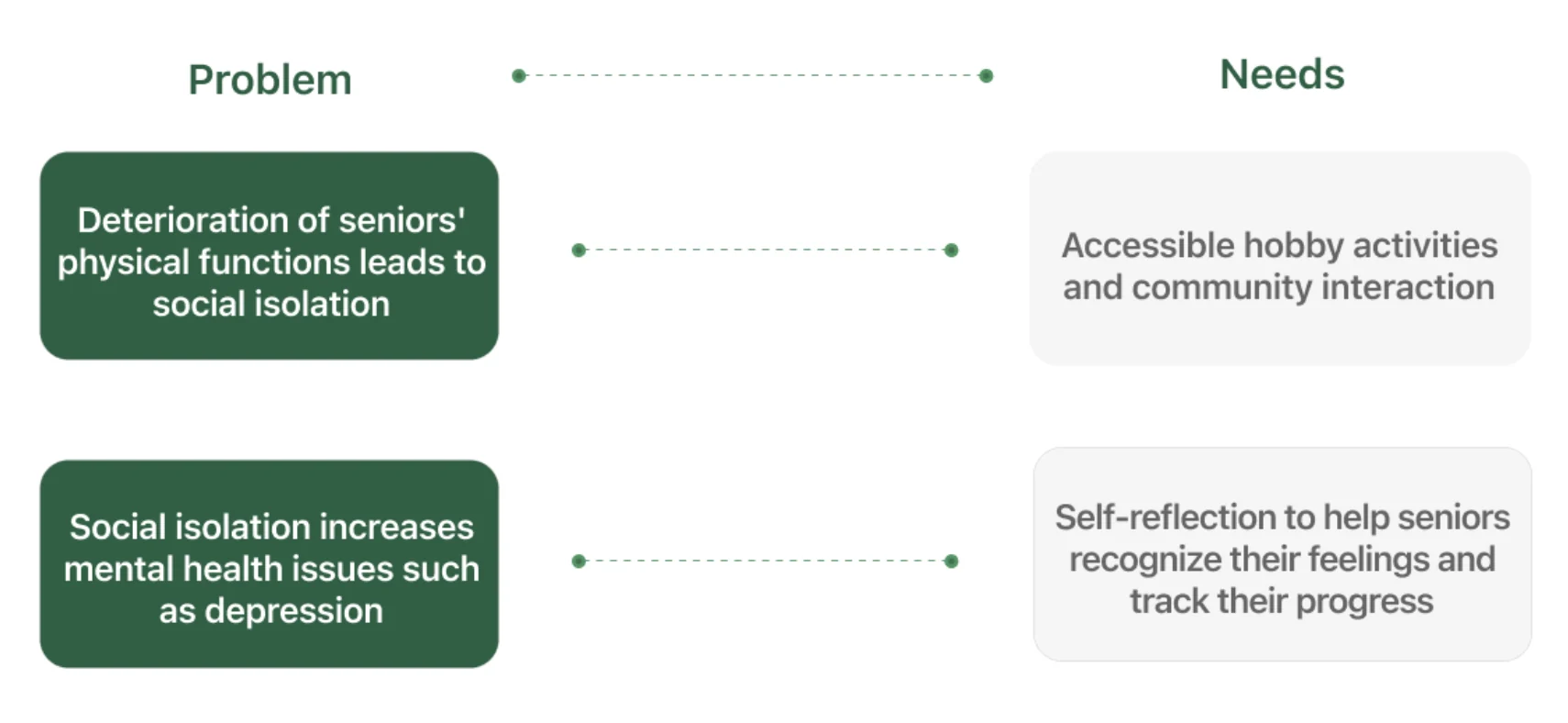
Synthesizing our research, I identified a key insight: as seniors age, physical discomfort can limit their ability to engage socially, increasing isolation and loneliness. This led to our central design question:
How might we design an accessible platform that helps seniors stay socially engaged and mentally active despite physical limitations?
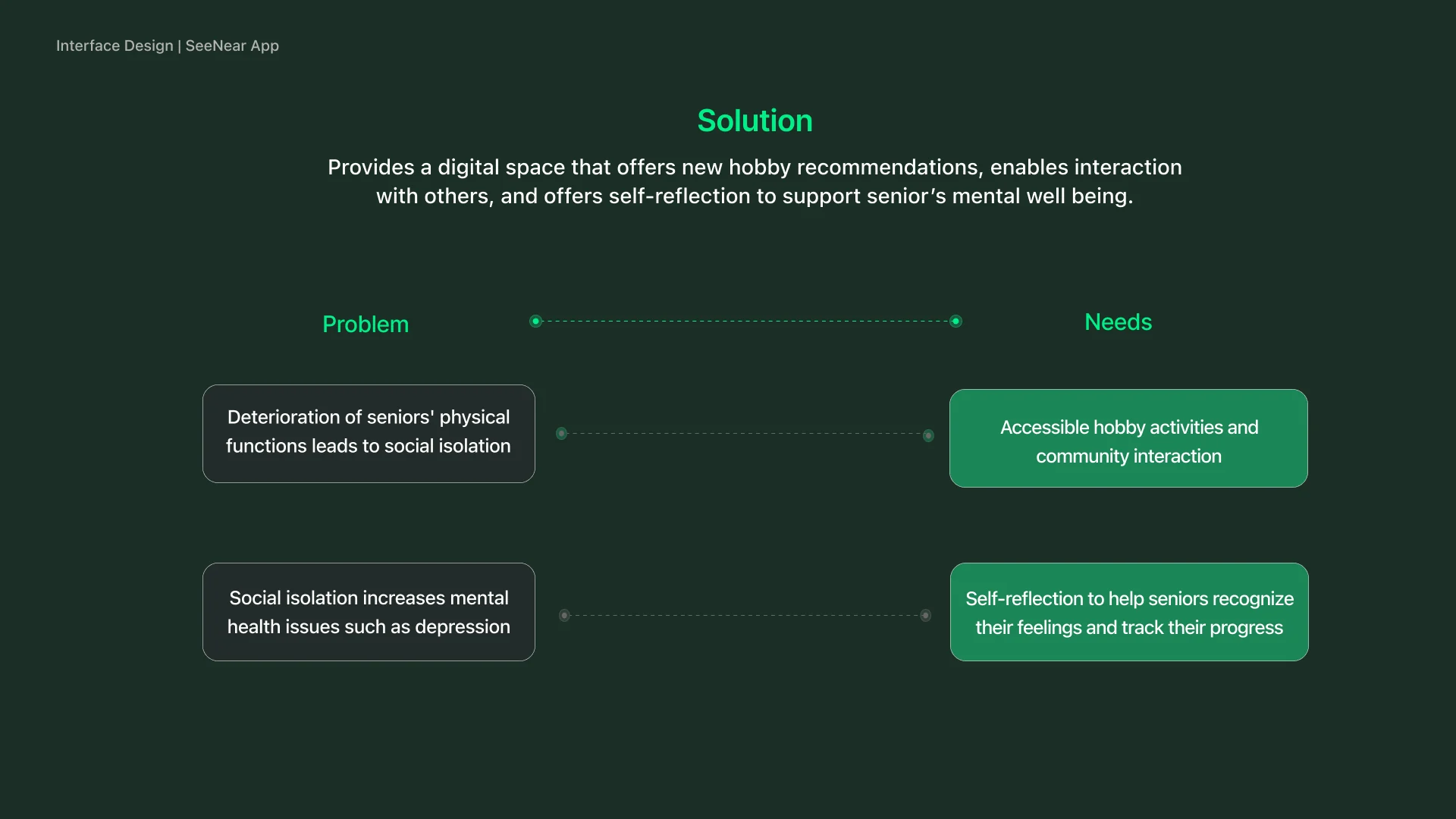
Solution
Introducing SeeNear
An accessible platform for engagement, connection and reflection.
A digital space that recommends new hobbies, enables interaction with others, and offers self-reflection to support seniors' mental well-being.
Design decisions
Features that empower connection and well-being
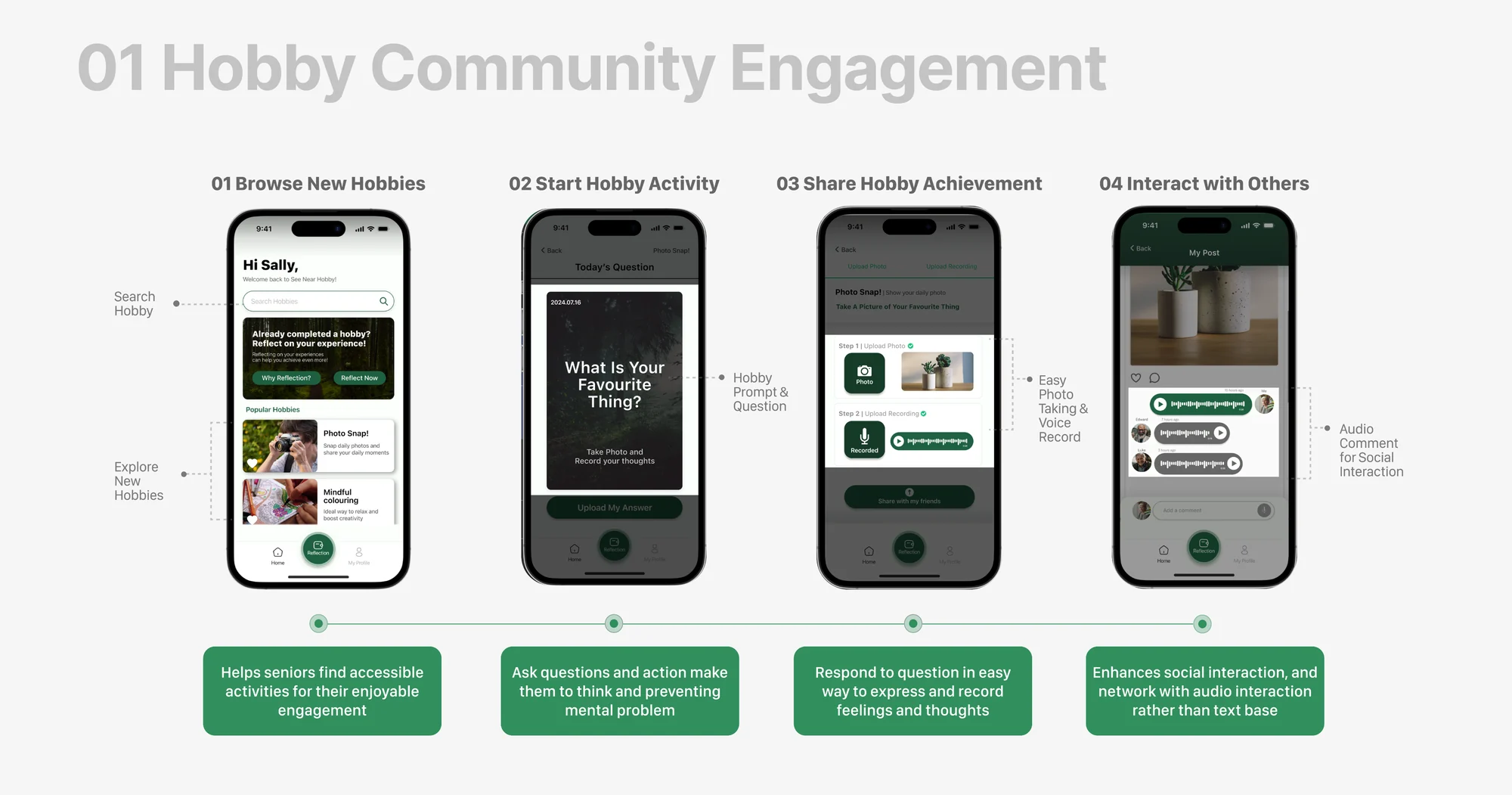
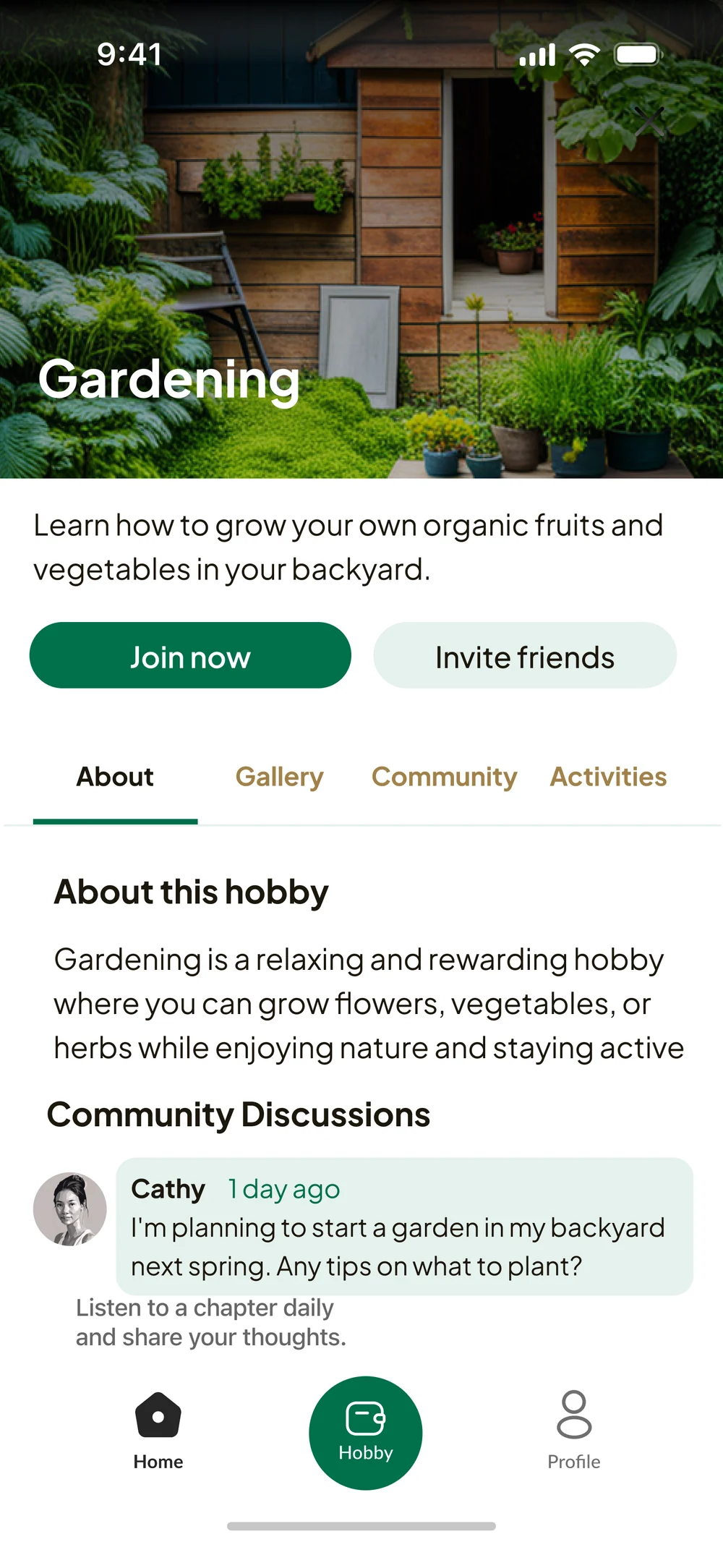
Accessible hobby exploration
To meet seniors' cognitive and social engagement needs, I designed a hobby module focused on accessibility and usability. I mapped user flows in low-fidelity wireframes, then built high-fidelity prototypes in Figma that prioritize simplicity.
- Hobby activities — simple interactions keep seniors mentally engaged.
- Social connection — easy ways to interact with others.
- 30% reduction in loneliness reported by seniors engaging in digital social activities.
Self-reflection
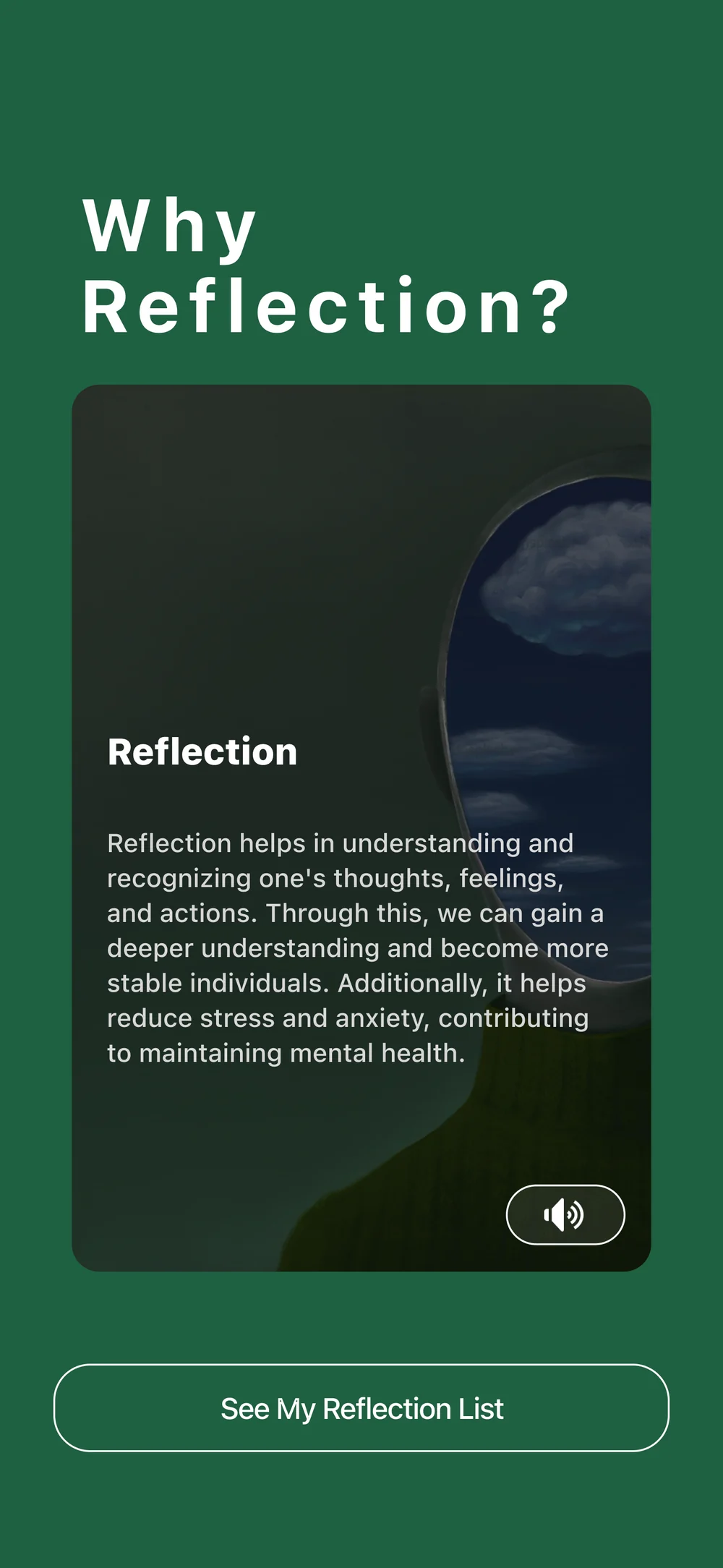
To support emotional well-being, I designed a reflection experience that encourages users to capture and revisit their daily thoughts in a simple, comfortable way — refined from wireframes into calm, clear high-fidelity prototypes.
- Daily reflection — simple prompts encourage reflection.
- Emotional awareness — helps users understand and process emotions.
- Improved well-being — regular reflection supports mental clarity.
Reflection
What I learned
Research → goals
Translate research insights into actionable, user-focused design goals.
Know the why
Back every design decision with research insights.
Inclusive by default
Prioritize accessibility and usability for diverse audiences.
If I had more time…
- Run usability testing with at least ten seniors to validate accessibility and navigation.
- Experiment with hobbies tailored to seniors' preferences and physical abilities.
- Add caregiver integration so family members can take part and support seniors' well-being.